
You know the moment. A customer is already frustrated, the phone rings through to your team, and the caller lands in a queue with no clear end in sight. They wait, they listen, and then they hang up, which is exactly how a simple service issue turns into a lost lead, a missed order, or a complaint you didn't need.
For SMBs, that problem isn't abstract. It shows up as wasted ad spend, wasted agent time, and a support queue that keeps getting longer while customers get less patient. If your team is also trying to juggle schedules, calmer team scheduling tools can help on the staffing side, but the queue problem itself often needs a purpose-built callback layer. When abandonment becomes routine, the issue isn't just service quality, it's operational leakage, and the fastest fix is often a better way to hold a customer's place without forcing them to stay on the line. For a deeper look at the measurement side of the problem, see call abandonment rate benchmarks.
The Hidden Cost of Keeping Customers Waiting
A small distributor gets slammed every Monday morning. The owner hears the same pattern from customers who called about product availability, billing, or delivery status, they wait, they hear hold music, and after a while they give up and try a competitor or email a support inbox that won't answer fast enough. That single abandoned call can be the last touchpoint before a customer decides your business is harder to reach than the next one.
The pain is bigger than irritation. Industry guidance notes that callers abandon after about 90 seconds on hold on average, while general call-center benchmarks place average speed of answer around 28 seconds and abandonment around 6%. Those numbers matter because every abandoned call is either a lost sale, a delayed resolution, or a customer who now expects the next interaction to be just as annoying, and call center callback software exists to interrupt that pattern before it turns into churn.
Practical rule: if a customer has already waited long enough to become unsure you'll answer, the queue is no longer just a queue, it's a friction point that needs a different mechanism.
Callback software solves the problem by changing the customer's experience from “stay connected and suffer” to “keep your place and move on.” That shift matters most for SMBs because they don't have infinite staff to absorb peaks, and they usually can't afford to burn goodwill on avoidable hold time. The right callback process reduces perceived wait, preserves queue fairness, and gives your team breathing room without forcing callers to keep listening to music.
What Is Callback Software and How Does It Work
Imagine a digital deli ticket. Instead of waiting at the counter until your number is called, you take a ticket, step aside, and return when your turn is ready. Call Center Callback Software does the same thing inside a phone queue, except the IVR, ACD, and outbound dialing logic handle the ticketing for you.
At a functional level, the software captures the caller's identity and queue position, estimates how long the wait will be, stores the callback request, and then triggers a return call when an agent is ready. That is why market definitions describe callback as an IVR feature that lets callers choose to be called back instead of waiting on hold in the queue, and why it became a practical answer to hold-time frustration, abandonment, and customer impatience from NICE's glossary. The same source notes that 75% of adults prefer receiving a callback rather than staying on hold, which explains why this behavior now feels normal to callers instead of novel.
The customer journey in plain terms
- The caller reaches your IVR and hears a callback offer.
- They accept, confirm the number, and hang up.
- The system keeps their place in line or a fair equivalent of it.
- When an agent becomes available, the platform dials them back automatically.
That flow looks simple, but it solves a real queue-management problem. The software is not just “calling people later,” it's coordinating place-in-line logic, agent availability, and outbound dialing so the business can serve the next caller without making everyone else suffer.
The operational value shows up quickly in busy periods. When agents are tied up, a callback keeps the interaction alive without locking the customer into dead time, and that makes the experience feel more controlled. Done well, it also lowers the chance that a customer drops out before anyone can help.
The best callback systems behave like a queue manager, not a voicemail box. If the caller doesn't feel their spot has been preserved, the feature loses trust fast.
Core Features Every Business Should Look For
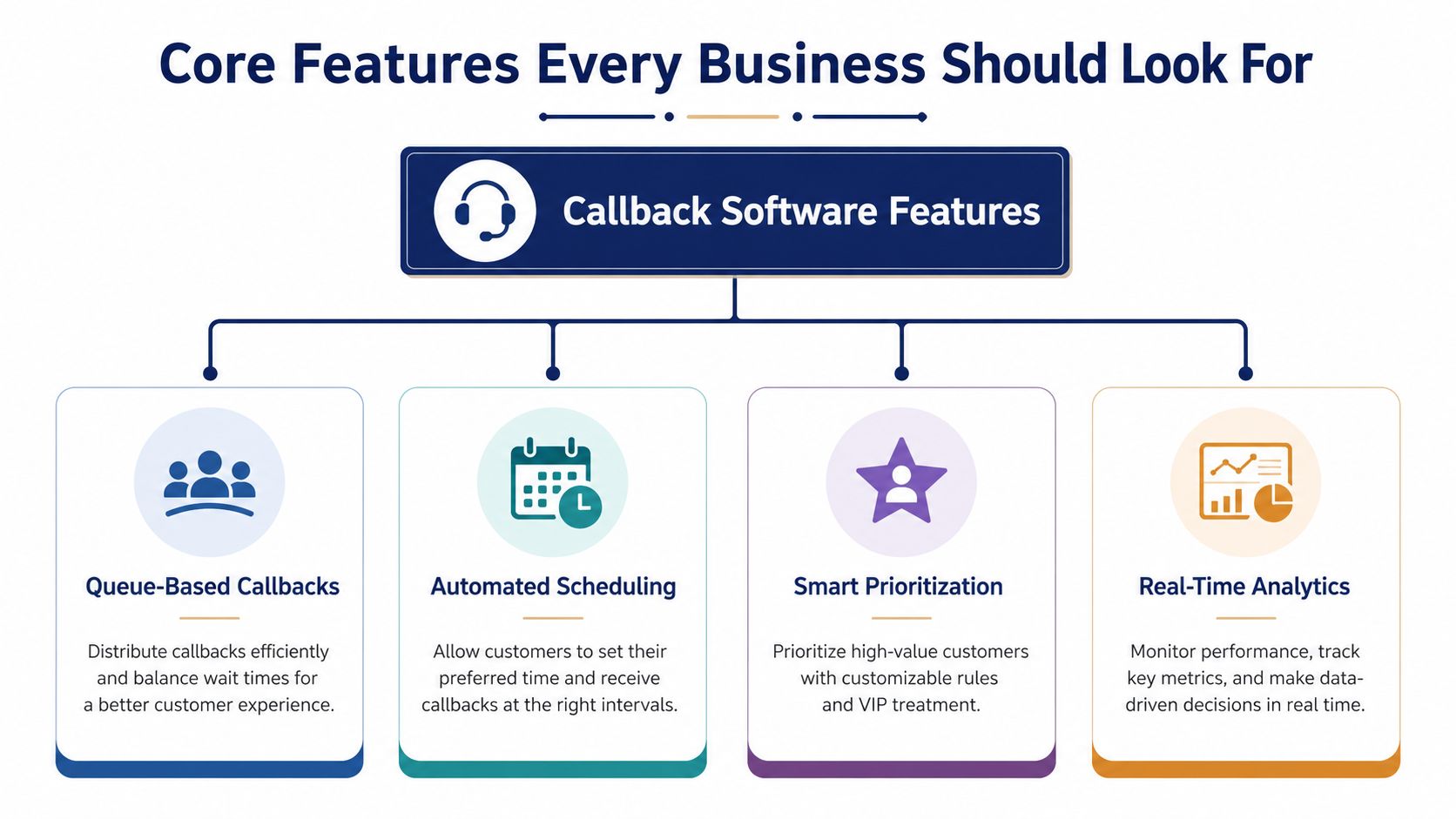
A practical buyer's checklist starts with the mechanics that keep queues under control. If the goal is to reduce customer frustration without creating extra work for staff, the software should handle four areas well, queue logic, scheduling flexibility, integrations, and reporting that managers can use.
Queue-based callbacks
Queue-based, or first-available, callbacks preserve fairness. The caller keeps a place in line, and the system returns the call when the queue reaches them, which matters when customers compare response times across channels or locations.
For an SMB, that matters most when one branch is swamped and another is quiet. A fair queue keeps one persistent caller from jumping ahead and helps support standards stay consistent across the business. If you are comparing tools, a queue-first design often fits with queue management software already built into the phone stack.
Scheduled callbacks
Scheduled callbacks give customers more control over the exchange. Instead of asking them to wait for the next available opening, the business lets them choose a time window that fits their day, which works well for service companies, field teams, and offices that do not want every callback triggered right away.
That option is especially useful after a missed call, during lunch surges, or when the issue needs a specific person to return the call. It also reduces repeated dialing attempts that frustrate customers and waste agent time. For multi-location firms, it can also help route calls into a calmer part of the day at the right branch.
IVR and CRM integration
Callback software should pull context from the phone system and CRM, so the agent making the return call can see who the customer is, what they asked for, and where the interaction left off. That saves the customer from repeating themselves and helps the agent avoid starting cold.
If a multi-location firm uses shared numbers, this becomes even more important. The callback needs to reach the customer with the right context, not just the right phone number, or the same bottleneck shows up twice.
Reporting and analytics
Reporting tells you whether the feature is reducing friction. Managers should be able to review callback acceptance, connection success, and the effect on queue pressure, then adjust rules instead of guessing.
You want visibility into which teams trigger the most callbacks, which hours create the biggest spikes, and which callback rules produce the fewest missed returns. That is the difference between a useful feature and a management tool. Practical reporting also helps owners decide where staffing changes will matter most, so the software supports both service and cost control.
A recent industry roundup reports that the global call center software market was worth over USD 41.7 billion in 2025, and according to Giva it is projected to grow at a 21.9% CAGR from 2026 to 2033, which shows that buyers are treating queue and service controls as infrastructure, not add-ons. A practical platform has to fit that reality, and the interface matters too, which is why buyers often watch a short demo before they compare options.
The Significant Business Benefits of Callbacks
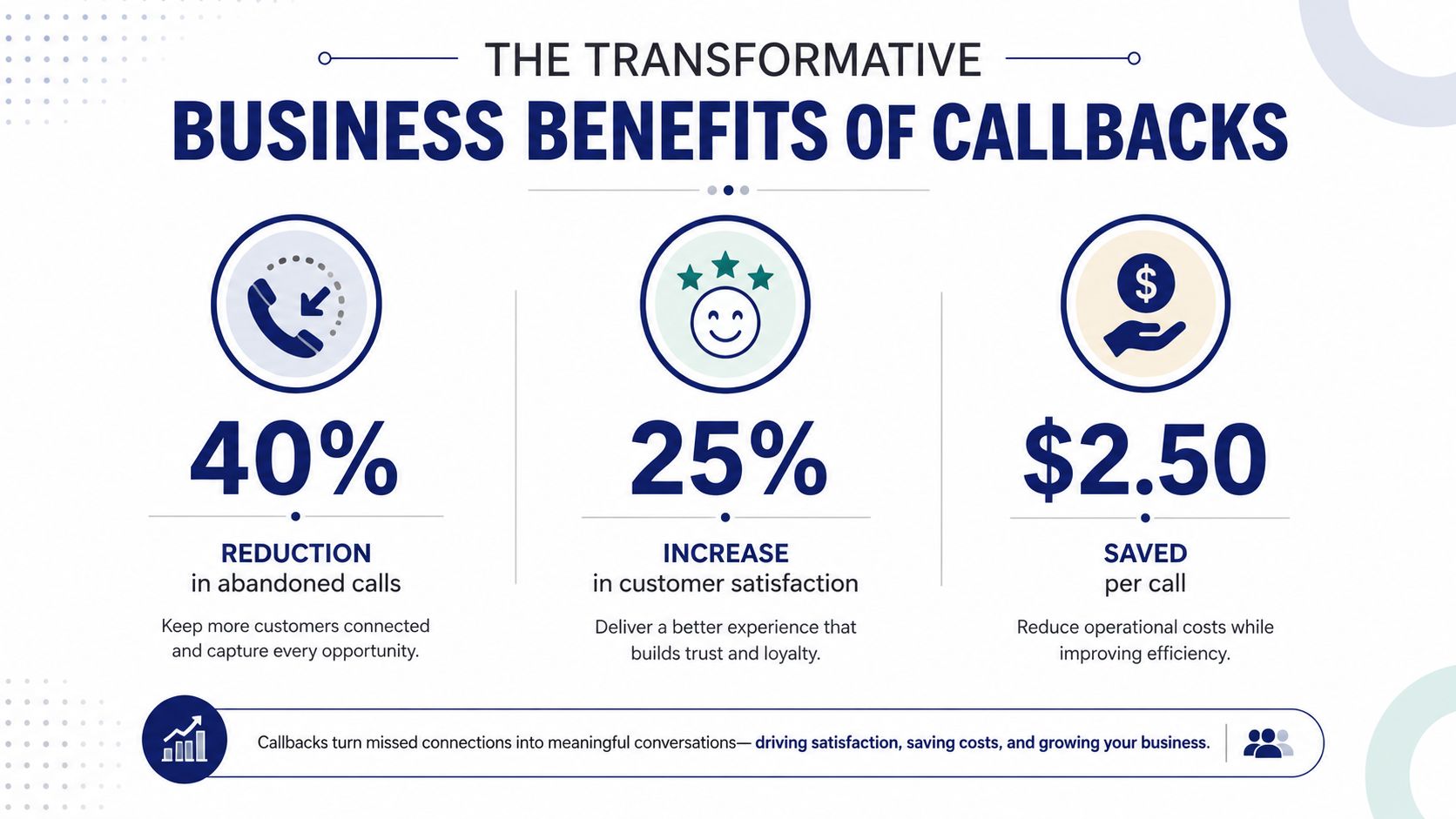
Callback software pays off when it changes how many customers stay engaged long enough to get help. For an SMB, that usually means more calls completed, fewer abandoned interactions, and less pressure on agents who are trying to keep the line moving during peak periods.
Customer experience improves because waiting feels different
The first benefit is obvious to the caller. They do not have to sit through hold music and wonder whether anyone is coming back, which lowers frustration and makes the interaction feel more respectful. That matters because the hold experience is often the first signal a customer gets about how your business handles pressure.
A callback also gives customers a clearer path out of the queue without losing their place in line. That reduces the chance that they abandon the call outright or start a duplicate contact through email, chat, or another phone call.
Operations get smoother because demand is easier to shape
Callback systems help flatten spikes. Instead of forcing agents to absorb every inbound peak in real time, the business can move some demand into controlled returns, which makes staffing decisions easier and reduces the sense that every rush is an emergency.
That matters in support teams where handle time is already meaningful and first-call resolution is rarely automatic. Benchmarks in Giva's statistics roundup point to the kinds of pressure managers already face, and callback software does not remove those pressures. It gives teams a better way to work through them by spacing demand more evenly and giving supervisors more control over who gets called back, and when.
The cost story is tied to retention, not just efficiency
The financial value comes from saving interactions that would otherwise disappear. If a caller would have abandoned, the callback turns that loss into a reachable customer, and that is where ROI starts to show up in plain terms.
For SMBs and multi-location firms, the stronger case is usually practical, not abstract. Fewer missed opportunities, less agent frustration, and more consistent service across locations are easier to defend than vague promises about better experience. If you are comparing platforms, a call center software comparison can help you see which systems support callbacks without creating new workflow problems.
A Practical Selection Checklist for Your Business
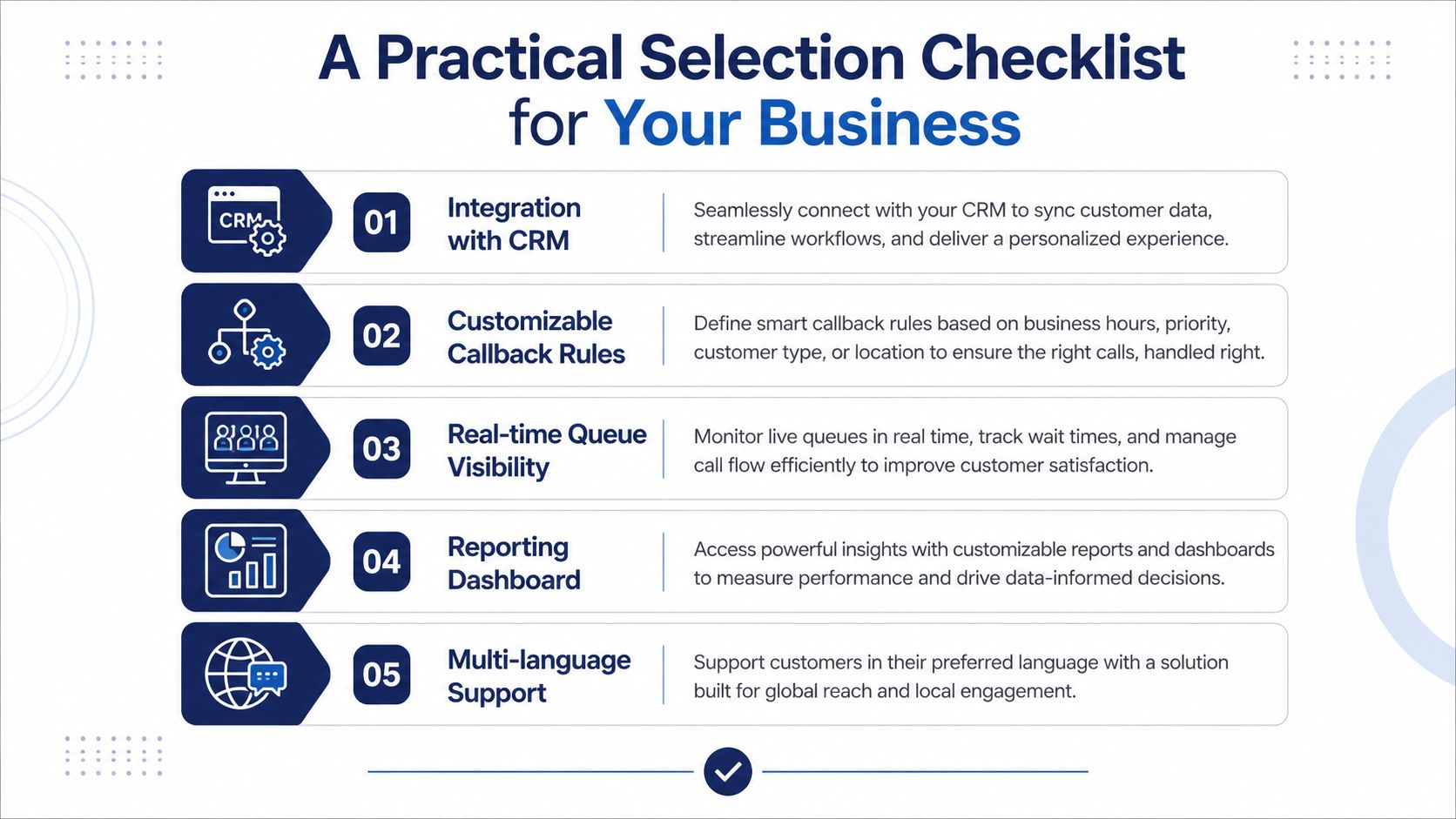
A callback platform has to hold up in daily operations, not just in a sales demo. For SMBs and multi-location firms, that means choosing software that keeps queue fairness intact, supports remote agents, and fits into the channels customers already use as noted in JustCall's discussion of distributed callback needs.
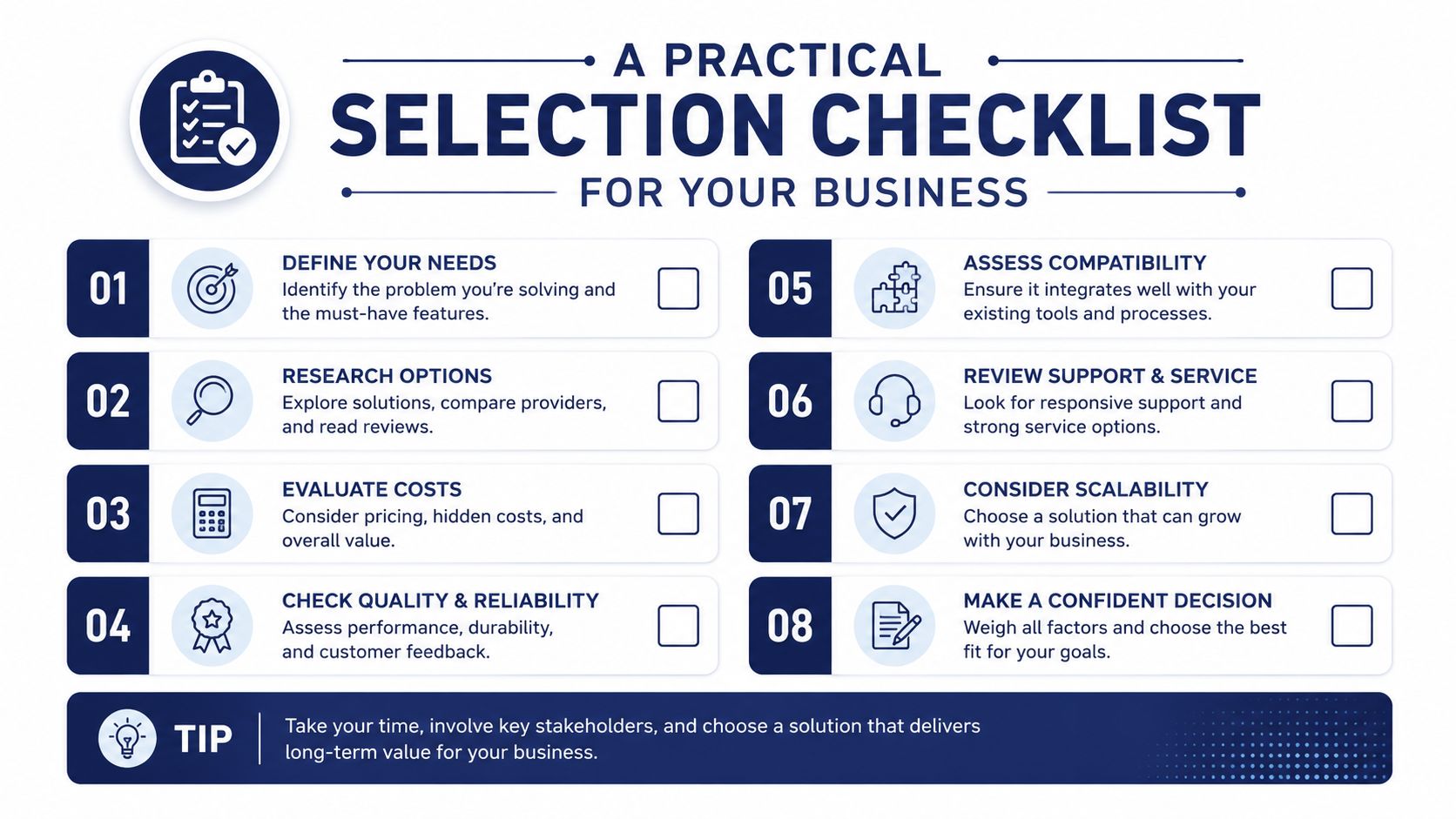
Use this checklist before you buy
- CRM and helpdesk integration. Agents should see customer history when the callback connects, not after asking the caller to repeat the same details.
- Remote-ready workflows. Verify that mobile and hybrid agents can receive and complete callbacks without breaking queue logic.
- Multi-location queue logic. Confirm that the system can coordinate fairness across branches instead of treating each site like a separate queue.
- Time zone awareness. Ask how the platform handles callback windows when customers and agents sit in different regions.
- Custom IVR rules. Check whether you can update callback offers, messages, and routing without opening a vendor ticket for every change.
- Reporting depth. Look for dashboards that show callback volume, queue pressure, and contact outcomes in one place.
- SMS support. For some workflows, a text reminder keeps the return call alive and cuts down on missed connections.
- Growth headroom. Confirm that the tool can scale if you add another office, another queue, or another support channel.
The first thing to test is whether the platform fits the way your operation runs. If you are comparing options, a call center software comparison helps you see which systems handle callbacks without creating extra workflow problems.
The most common mistake is buying a callback feature that only works for one voice queue. That may be acceptable for a very small operation, but it falls apart once you add dispersed teams, mixed schedules, or several local numbers, because the customer experience starts to feel inconsistent.
Administration matters just as much. If managers cannot adjust scripts, routing, and reporting without heavy IT support, the system becomes rigid. Callback software should fit your service model, not force staff to work around its defaults.
One option in this category is SnapDial, which includes queue callbacks, wait-time announcements, routing, and reporting inside a cloud phone platform. Use that feature set as a practical comparison point, then judge whether other vendors can handle the way your team works.
Implementation Best Practices and Pitfalls to Avoid
Do this first, set the callback offer at the point where waiting becomes unacceptable. Industry guidance recommends offering a callback when expected wait time reaches the SLA threshold, so if your service level targets 80% of calls answered within 90 seconds, the callback prompt should appear around that point per Mindful's guidance. That keeps the offer aligned with your service standard instead of turning callback into a random escape hatch.
Do this: write the callback prompt in plain language, confirm the number back to the caller, and make the choice obvious. If customers have to guess what happens next, they'll distrust the system.
Avoid this, overcomplicating the IVR offer. If the script sounds technical or too long, callers will either hang up or choose the wrong path, and the whole point of the feature disappears. Keep the message short, direct, and consistent across locations so customers don't hear one version at headquarters and a different one at a branch.
Train agents for outbound callback behavior
Callbacks are not the same as inbound queue pickup. Agents need to know how to open the call with context, how to verify they're reaching the right person, and how to handle situations where the customer is no longer available when the return dial happens.
That training matters even more in hybrid teams, where people may be logging in from different locations or working partly on mobile devices. A clean callback system can still fail if agents treat it like a normal inbound call and miss the expected flow.
Plan for after-hours and missed returns
The business also needs a rule for what happens when a callback lands outside staffed hours or isn't answered. Some teams route those calls into a later callback window, others send a text notification, and some create a fallback message that protects the customer from being dropped back into limbo.
The key is consistency. A missed callback should never feel like the customer has to start over from scratch, because that defeats the trust the feature is supposed to build.
Measuring Success and Calculating Your ROI
Start with the metrics that show whether the queue is improving. Track call abandonment rate, average speed of answer, customer satisfaction, and first-call resolution before and after rollout, then compare those numbers by location, queue, and time of day. That comparison tells you where callbacks are easing pressure and where callers still run into friction.
The market context still matters, because callback software sits inside a broader contact-center category that continues to be built around service efficiency, as the call-center market data shows. For an SMB or a multi-location operation, the practical question is whether the tool reduces wasted holds, protects agent time, and keeps customers from abandoning the interaction before anyone answers.
A simple ROI formula is straightforward. Estimate how many abandoned calls were recovered by callbacks, assign a value to each saved interaction based on the average worth of a qualified service or sales call in your business, then compare that against software and setup costs. That will not capture every benefit, but it gives leadership a concrete starting point instead of a vague promise.
The strongest ROI cases usually show up in more than one place. Fewer abandoned calls can mean more completed service conversations, less repeat calling from frustrated customers, and better use of staff time during peak periods. If you manage multiple locations, compare branches separately, because one site may be getting more value from the same configuration than another.
If your team is already using callback logic well, the next step is refinement. Tighten the offer timing, compare branches, and look for the places where customers still drop off even though the software is doing its job. That is where gains hide.